 Visual Dynamics
Download
A compiled package for your platform, a Python install, or the repository itself.
This is an alpha release. It has been checked
against known cases, not yet against a broad set of tests, and the
numbers it produces are to be verified by independent means before
anything depends on them. The application shows this notice the
first time each new version opens and asks you to acknowledge it. Projects are saved as
.vdyn files, and Engineering Sciences Common Data
Format (.h5) files are imported and exported for
exchanging data with other tools. While Visual Dynamics is an alpha
the .vdyn format may still change. The promise that a
later version opens every earlier file starts with the first
release that is not an alpha.
Compiled packages
Download, open, and the application runs; there is nothing else to install. Choose one of these unless you already work in Python.
 macOS
Apple silicon · .dmg
macOS
Intel · .dmg
Windows
64-bit installer · .exe
Linux
Portable x86_64 · .AppImage
macOS
Apple silicon · .dmg
macOS
Intel · .dmg
Windows
64-bit installer · .exe
Linux
Portable x86_64 · .AppImage
Every release is also on the releases
page, with release notes and a SHA256SUMS file
beside the downloads. Run shasum -a 256 -c SHA256SUMS
in the folder holding them to check them.
Example projects
Complete projects with the work already done, to open on the first day. The plate and the quadcopter have one project per workflow, each with its report generated. Every run in them is synthetic: a virtual test article was driven through the same controller used for real tests, and the photographs are renders of the geometry. The BARC is a finite element model built from planes, and again from solid bricks with its removable component as a model of its own, all solved. The Frame-Wing is five models built from solids and meshed into bricks: the frame, each wing, and the frame with each wing bolted on.
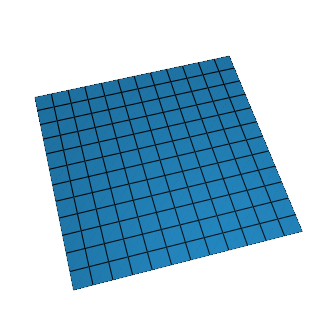 The plate
six projects · modal, random, shock, sine, system ID, transient · 42 MB
The plate
six projects · modal, random, shock, sine, system ID, transient · 42 MB
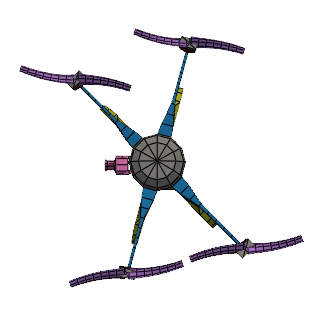 The quadcopter
four projects · modal, random, shock, transient · 272 MB
The quadcopter
four projects · modal, random, shock, transient · 272 MB
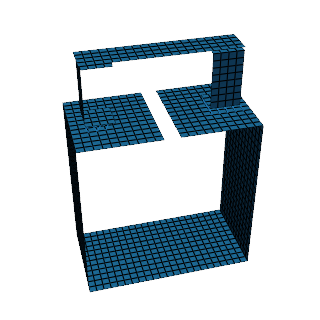 The BARC
two projects · from planes, and from bricks with its removable component, solved · 12 MB
The BARC
two projects · from planes, and from bricks with its removable component, solved · 12 MB
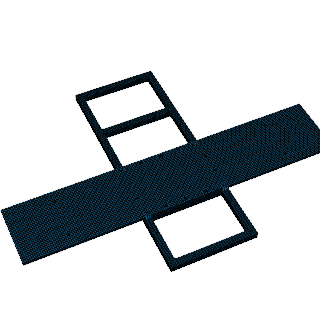 The Frame-Wing
one project · the frame, two wings, two assemblies, solid models solved · 91 MB
The Frame-Wing
one project · the frame, two wings, two assemblies, solid models solved · 91 MB
The figures on the Examples page and
the guide's screenshots come from the plate. The quadcopter runs the
same workflows on a model with the node count of a real test
article. The BARC is the documentation's
finite element workflow
carried out, checked against the finite element models shared on the
SEM Dynamic Substructuring Focus Group wiki;
the Frame-Wing is its
solid workflow,
checked against the
wiki's
measured frequencies and shared models.
Unzip the file, then use File → Open. They are .vdyn
files, and they are cut again whenever a release changes the
format.
Python installation
The desktop application and the scripting API are one package, so installing it gives you both: the API to drive an analysis from a script or notebook, and the same application the installers above provide.
pip install visualdynamics
Python 3.12 or newer. python -m visualdynamics opens
the application, and import visualdynamics is the API the
documentation
describes.
Contributor installation
To work on Visual Dynamics itself (fix something, try a branch, run the test suite), clone the repository and install it in place, so your edits take effect without reinstalling:
git clone [email protected]:visualdynamics/visualdynamics.git
cd visualdynamics
pip install -e .
That is the SSH remote, which uses your GitHub SSH key. Over HTTPS,
https://github.com/visualdynamics/visualdynamics.git
clones the same thing.
To run what is on main without cloning it, for example
to get a fix before it is released, pip can install from the
repository directly. Add @ and a branch, tag or commit
to choose a particular one:
pip install git+ssh://[email protected]/visualdynamics/visualdynamics.git
There is nothing to compile; git and Python 3.12 or newer are all it needs. Bug reports are very welcome and I try to fix them promptly. For a larger change, open an issue first or write to me.
What you need
- macOS 14.4 or newer, Apple silicon or Intel. Each has its own build above; Apple menu → About This Mac shows which chip you have.
- Windows 10 or 11, 64-bit.
- Linux with a desktop. The AppImage needs no installation: mark it executable and run it.
The 3-D views need working OpenGL, which any ordinary desktop has. The application needs no account and makes no network request on its own; File → Check for Updates… checks for a newer version only when you choose it. The privacy policy has the details.
Code signing
The macOS images are signed with the author's Apple Developer ID
and notarized by Apple. The Windows installer is not signed yet,
so Windows SmartScreen asks before running it; every release
includes a SHA256SUMS file to check it against.
The code signing policy says what
is signed, who approves it, the status of Windows signing, and
what the program sends over the network.