The transient workflow
A transient test specifies the motion itself, sample by sample, where a shock test specifies a response spectrum and leaves the waveform to the machine. A transient run is therefore judged as two waveforms of the same thing: the target the controller was asked to reproduce and the response the article actually had, compared at one control channel at a time.
The walkthrough uses the demonstration plate's replication run: the
plate's response to a burst at its corner drive, reproduced by two
shakers under a real Rattlesnake controller, with a screenshot at
every step. The run does not ship with the repository. It is saved as
stressdata/plate/transient.nc4 and made again with
generate_plate_runs.py --transient in the generators repository.
| Step | In the app | In a script |
|---|---|---|
| Import the run | drag the controller's .nc4 onto the window |
project.import_file(path) |
| Say what it is for | nothing to do: the run sets the type | project.project_type == 'Transient' |
| The target | nothing to do: it arrives with the run | project.transient_specification |
| Read the target | select it: one channel, drop-down for the rest | spec.plot(...) |
| Overlay | select the pair: the replication views appear | plot_replication(history, spec, 'overlay') |
| Waveform error | Waveform Error on the plot bar | plot_replication(history, spec, 'waveform') |
| Judge by segment | Segments on the plot bar, the marks in its panel | replication_segments(history, spec, marks) from visualdynamics.core.replication_segments, plot_replication_segments(...) |
| PSDs of both | Compute PSDs in each one's Averaging view | project.compute_psds(name) |
| Geometry and photos | drag them in, link them | project.add(...), project.link(...) |
| Report | Generate Report on the bar, with the project row selected | project.generate_report('transient') |
| Or all of it at once | Automatic on the tree bar, once the project has its type | project.work_up() |
| Export | Export → HTML… | project.export_report(name, path) |
| Save | File → Save Project As… | project.save('transient.vdyn') |
In the app, step by step
1. Import the run
Drag the controller's save onto the project tree.
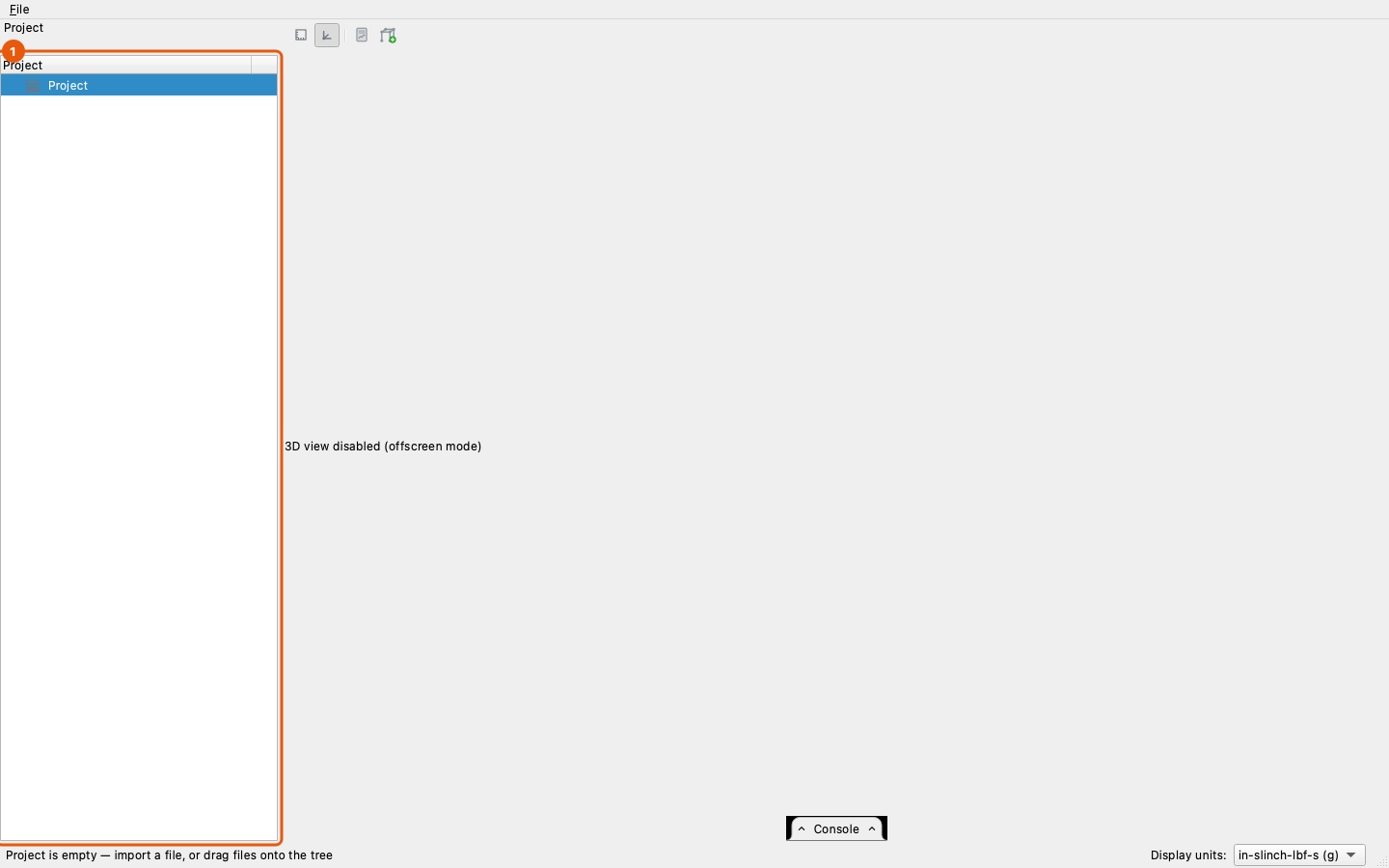
A transient replication run carries the measured control channels, the drive forces, the channel table, and the target waveform itself, which is imported as the Transient Specification. The project type is set to Transient and the tree adds the slots a transient report needs.
The record is read as playings. The controller played the target over and over, and the run's frames are those repeats: each frame is the target's length, back to back, with a rectangular window. Nothing is detected or guessed. The time view shades the playings on the trace.
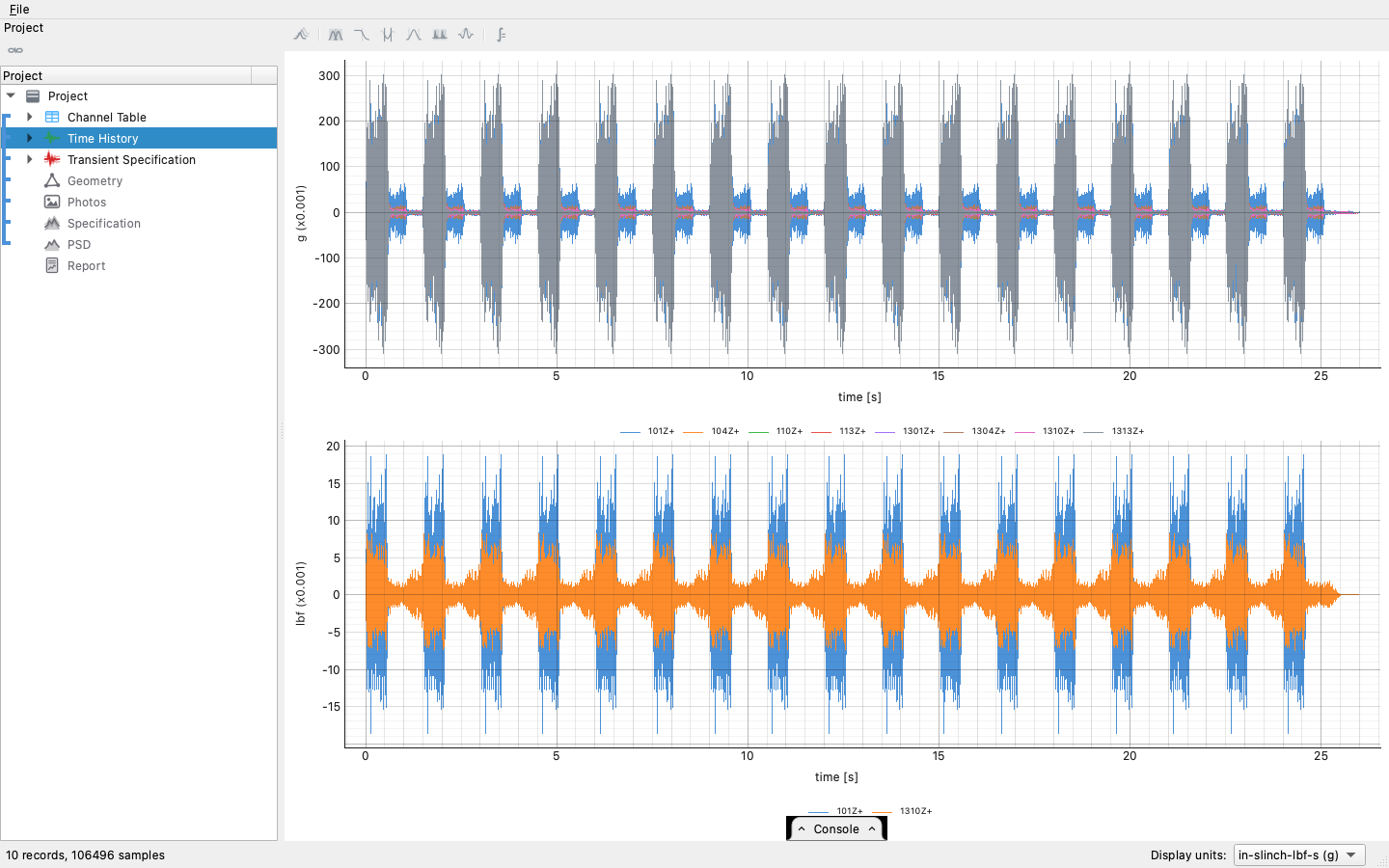
2. Read the target
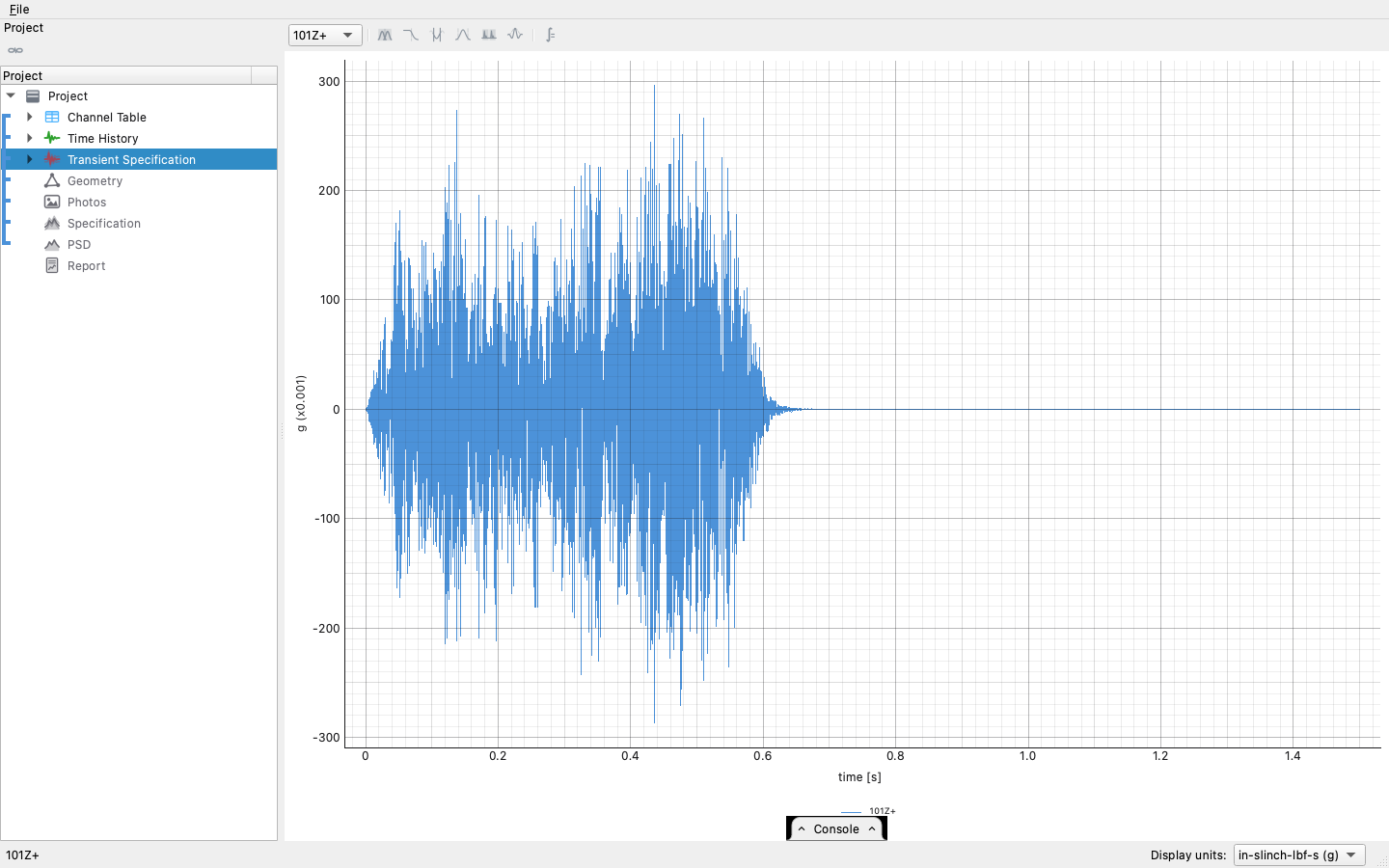
Select the specification on its own. One channel is drawn at a time, since all of its waveforms stacked on one axis cannot be read, and the drop-down on the bar reaches the rest.
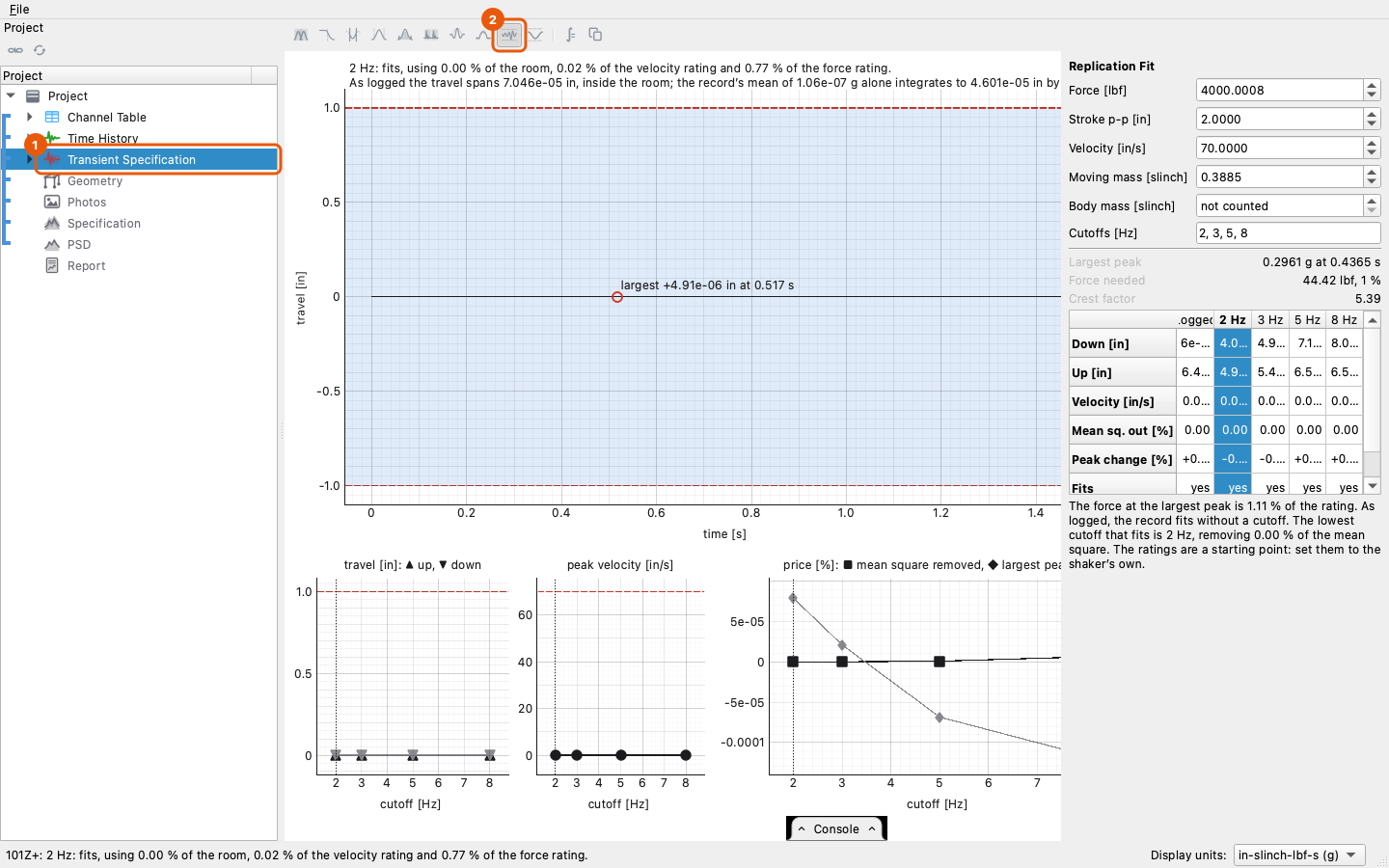
Before the first pass, the target can be checked against the shaker that will play it: choose Replication Fit on the bar for the force at its largest peak and its travel and velocity at a few high-pass cutoffs, against the ratings. Checking a replication reference says how to read it.
3. Compare waveforms
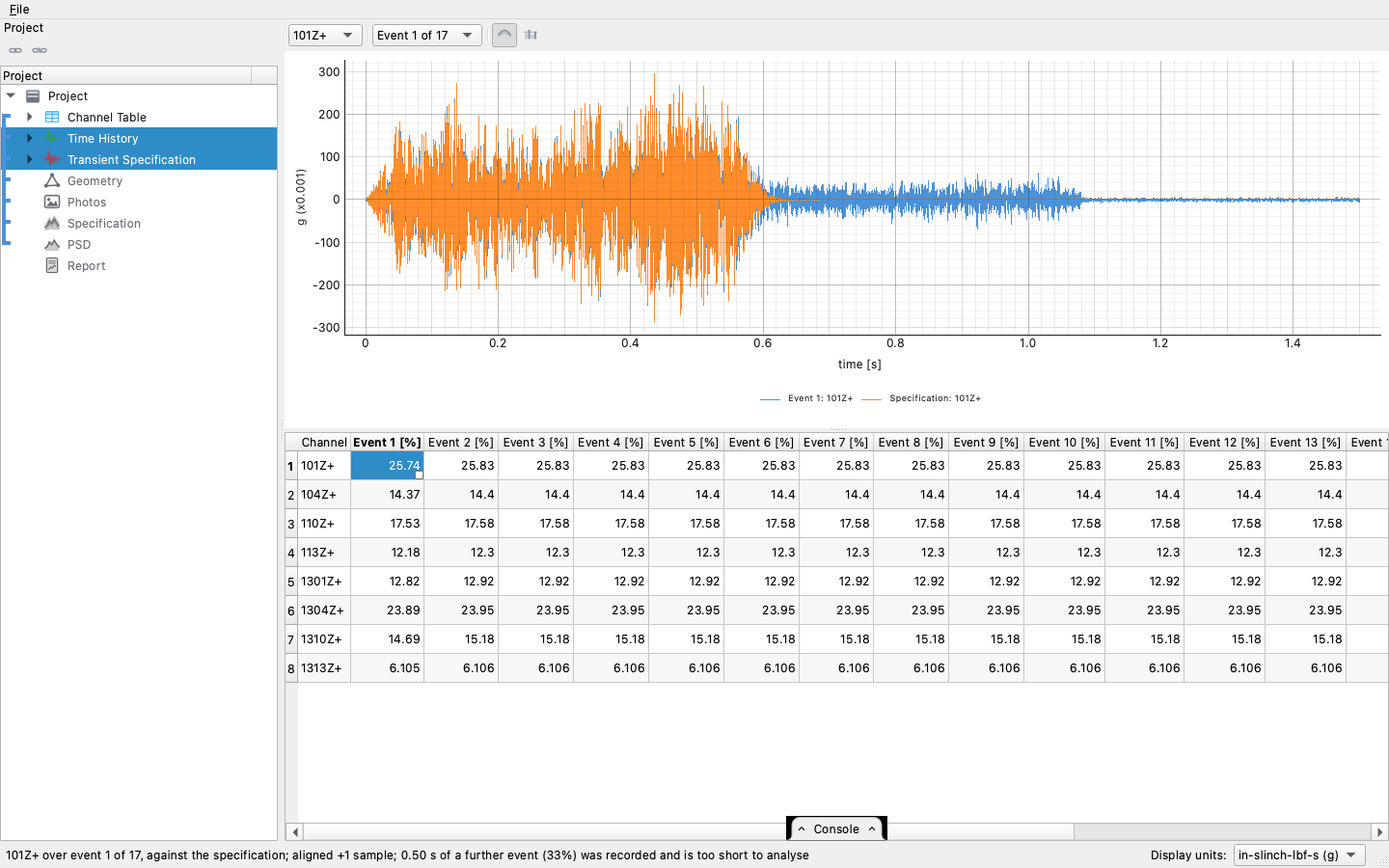
Select the measured history and the specification together, and the replication views appear on the plot bar. Waveforms draws one playing over the target at one control channel. The box on the bar chooses the playing, and Left and Right step through them while the plot has focus. The grid below the plot holds every channel through every playing, and picking cells points the plot at them. Each playing is aligned to the target before it is compared (the search allows a shift of up to 2 % of a frame either way), so a playing is compared where it landed rather than where the clock says it should have.
You can also pick by record: expand both objects in the tree and select one channel's records on each side, and the comparison draws the DOFs the two picks share. Picks that share no channel (the measured 104Z+ against the specification's 101Z+, say) draw nothing, with the reason shown in the plot, because overlaying two different channels would look like a comparison without being one.
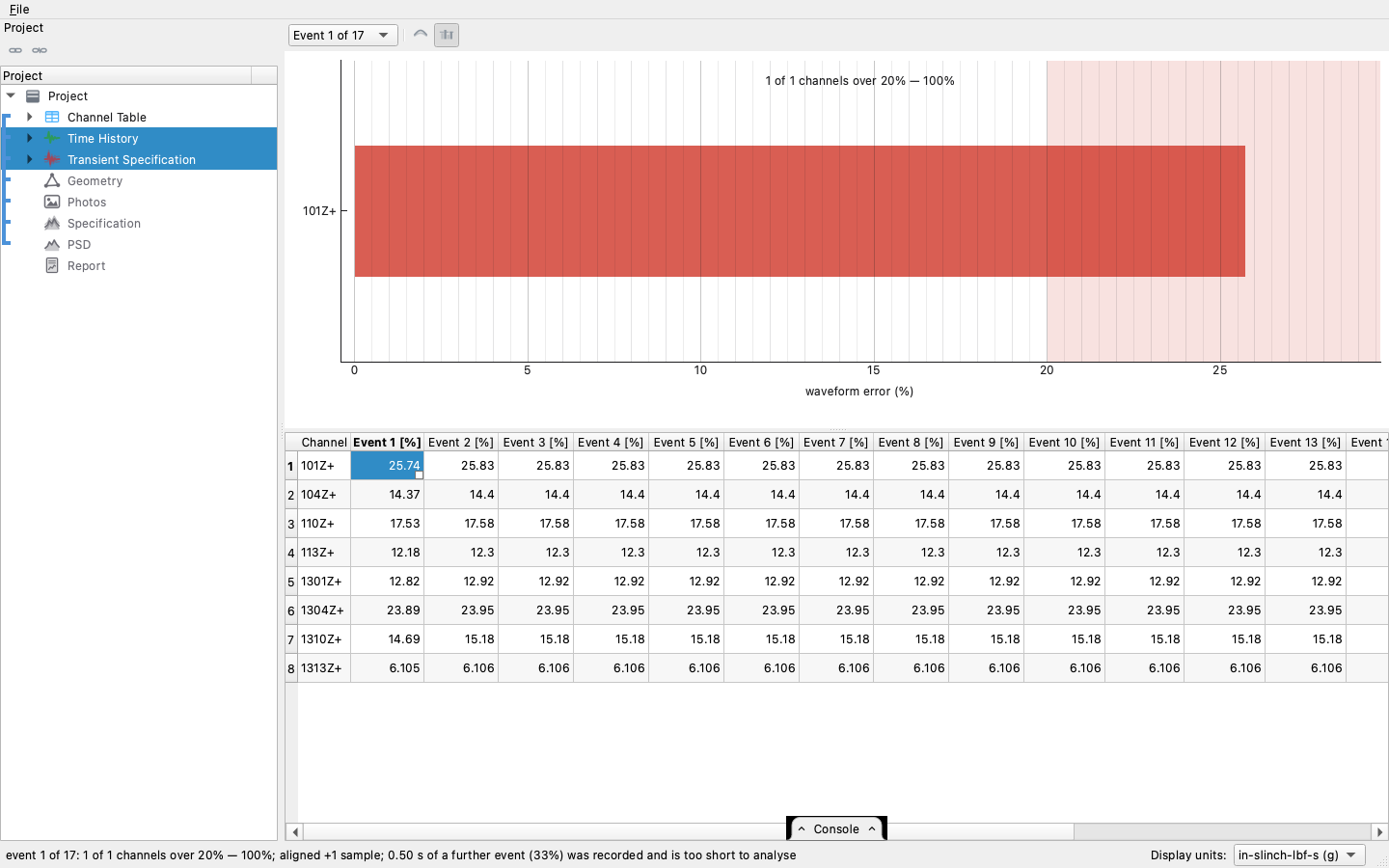
Waveform Error on the bar shows the same grid as bars: the difference between the two waveforms as a share of the size of the target, ‖m − s‖ / ‖s‖, per channel per playing. Amplitude, phase and shape all change it, and it is the quantity the controller was minimizing. The bars are shaded past 20 %, a line for the eye rather than a requirement, since there is no accepted tolerance for a replicated transient; drag it to move it.
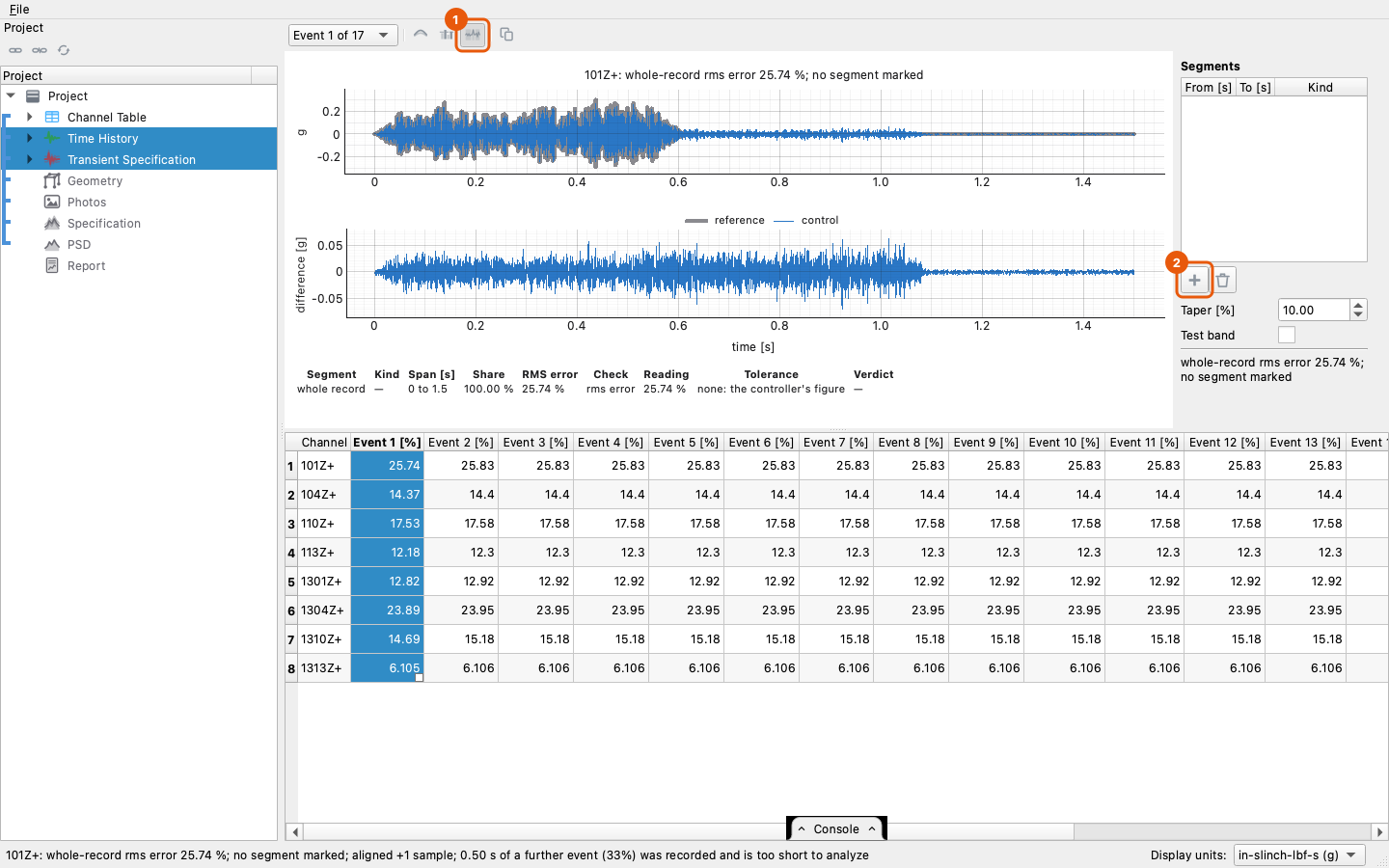
The waveform error is one figure over the whole playing, and a long record that holds several kinds of motion hides a short event's miss in it. Segments on the bar judges each marked stretch of the record by the rule for its kind: a stationary stretch by its ASD and mean square, a long transient by its envelope, a shock by its spectrum and peaks. The marks and the tolerances are set in the panel beside the plot. Judging a replication by segment describes it.
4. Then compare levels
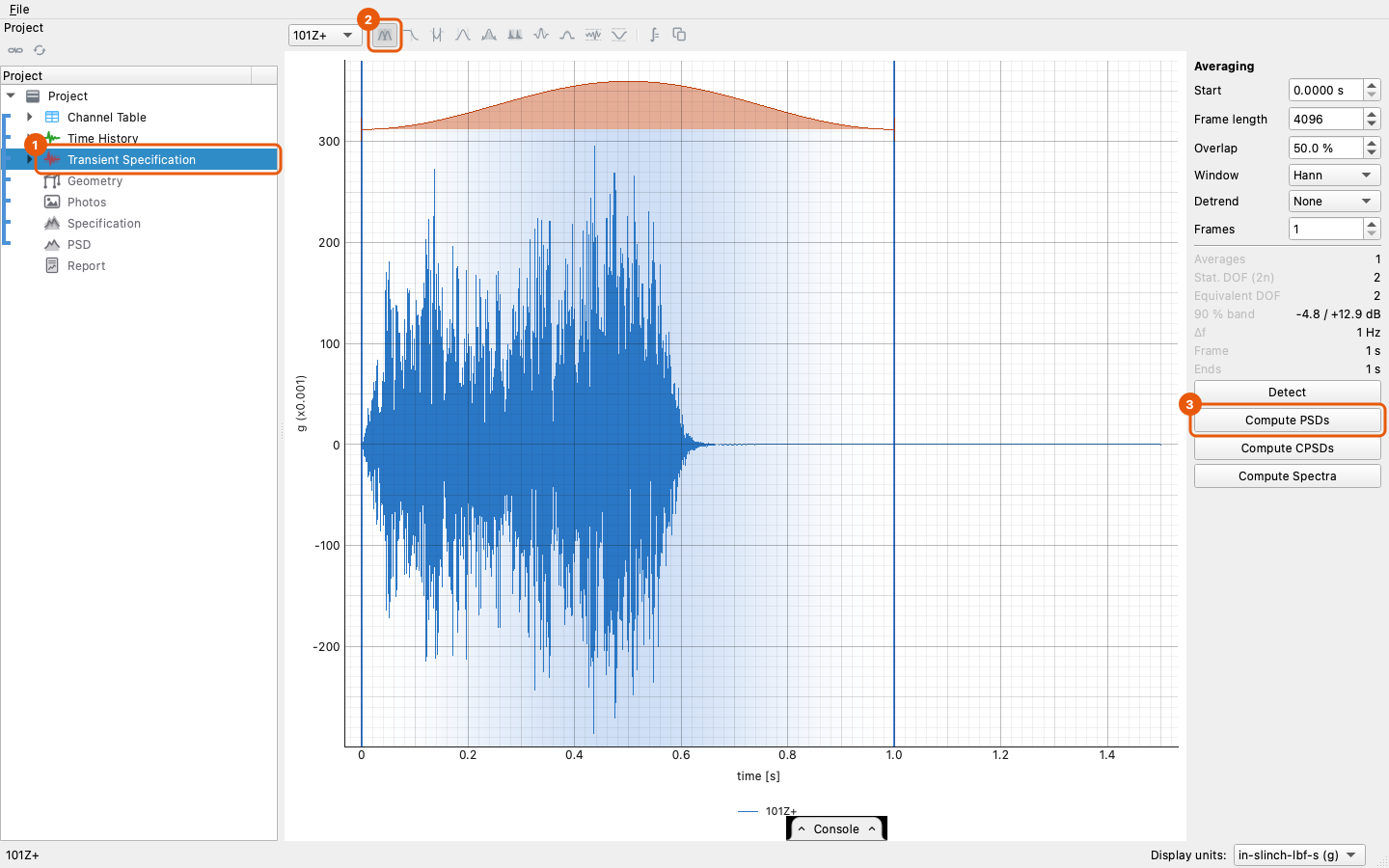
Compute PSDs from both sides, in each one's Averaging view. The PSD of the target is created as a specification, so selecting the two PSDs together gives the run a second reading: energy against frequency, the level with shape and phase divided out. The transient workflow does not use an SRS; a shock response spectrum is how a shock test is judged, and that reading belongs to the shock workflow.
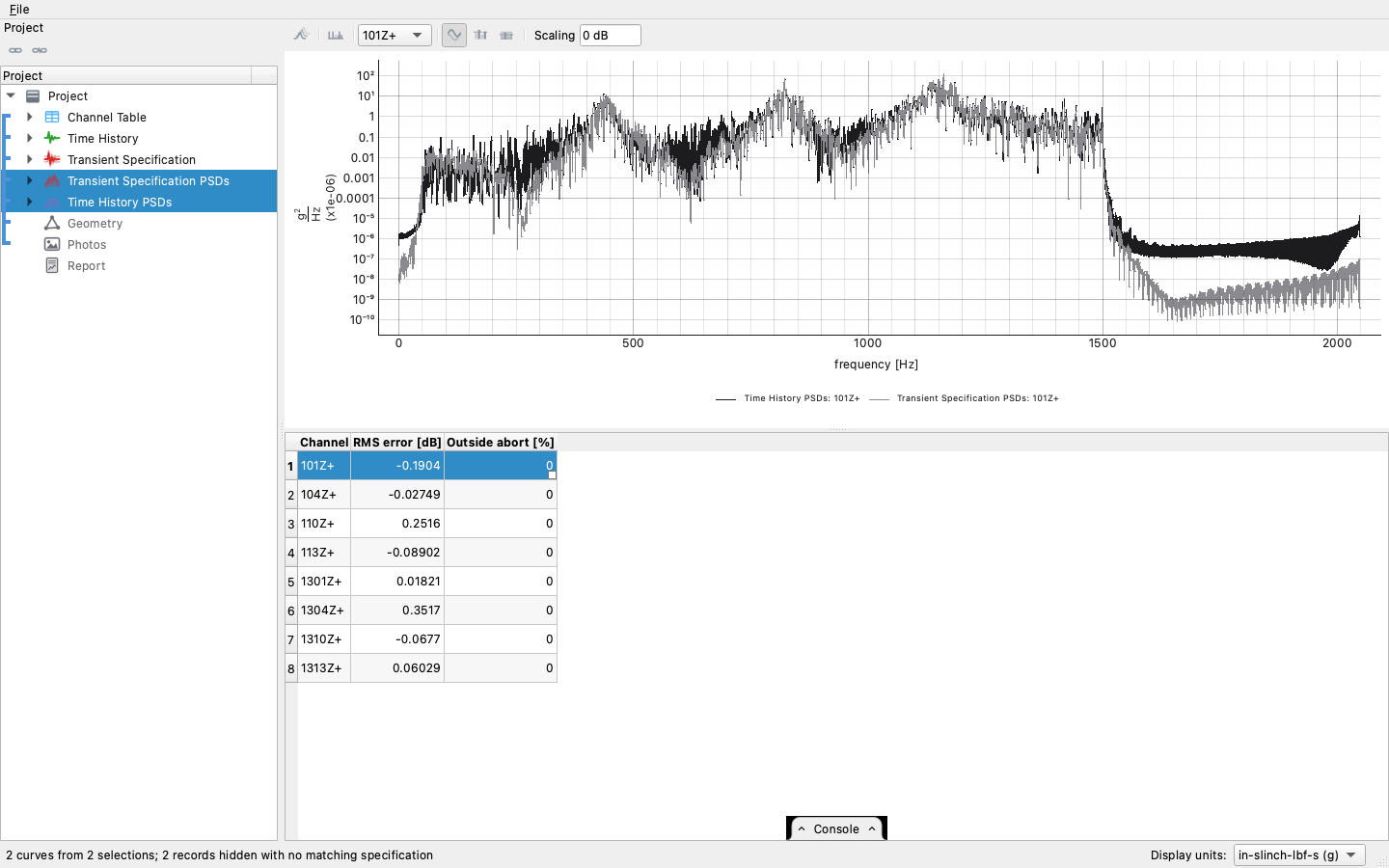
5. Geometry, photos, report
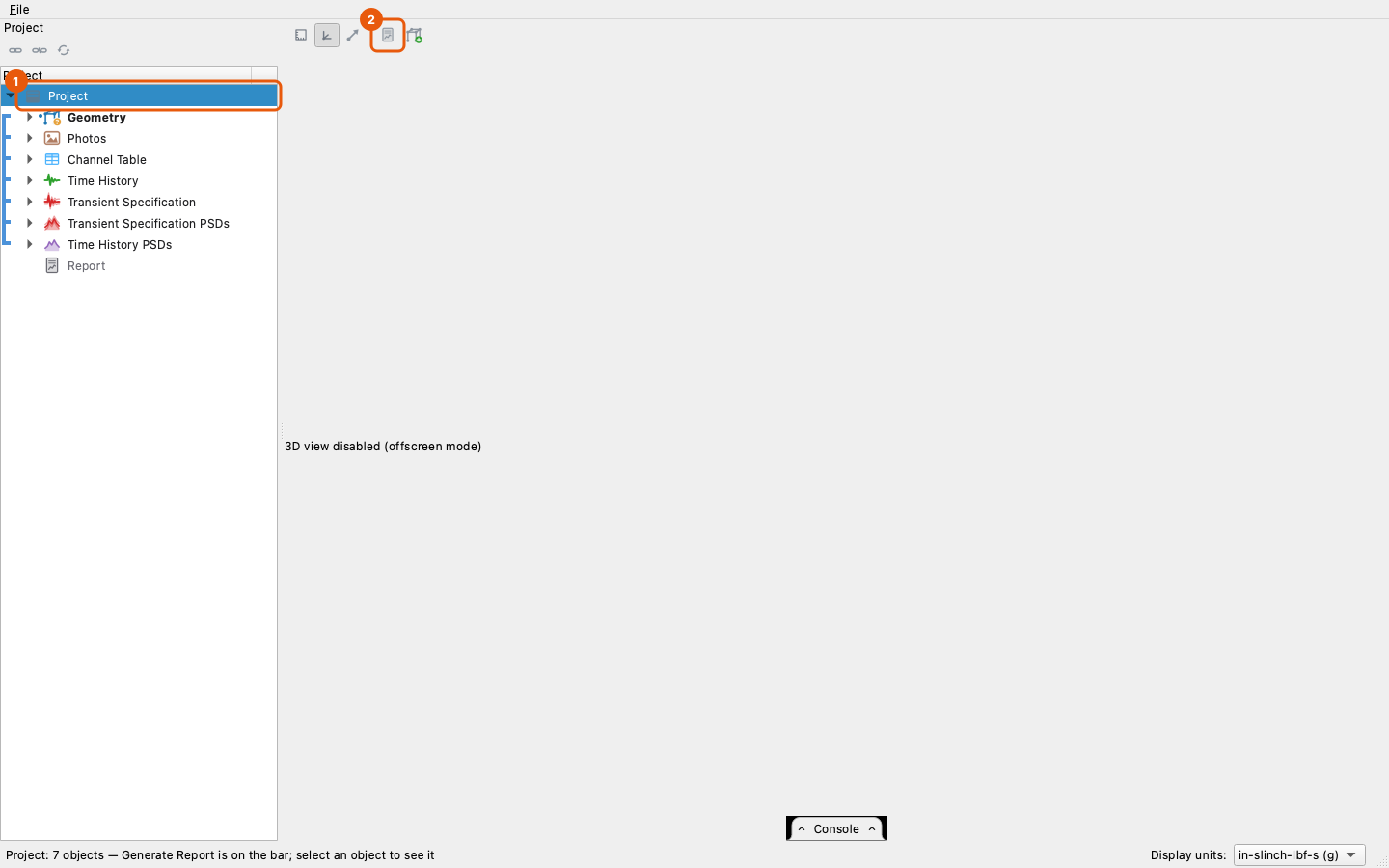
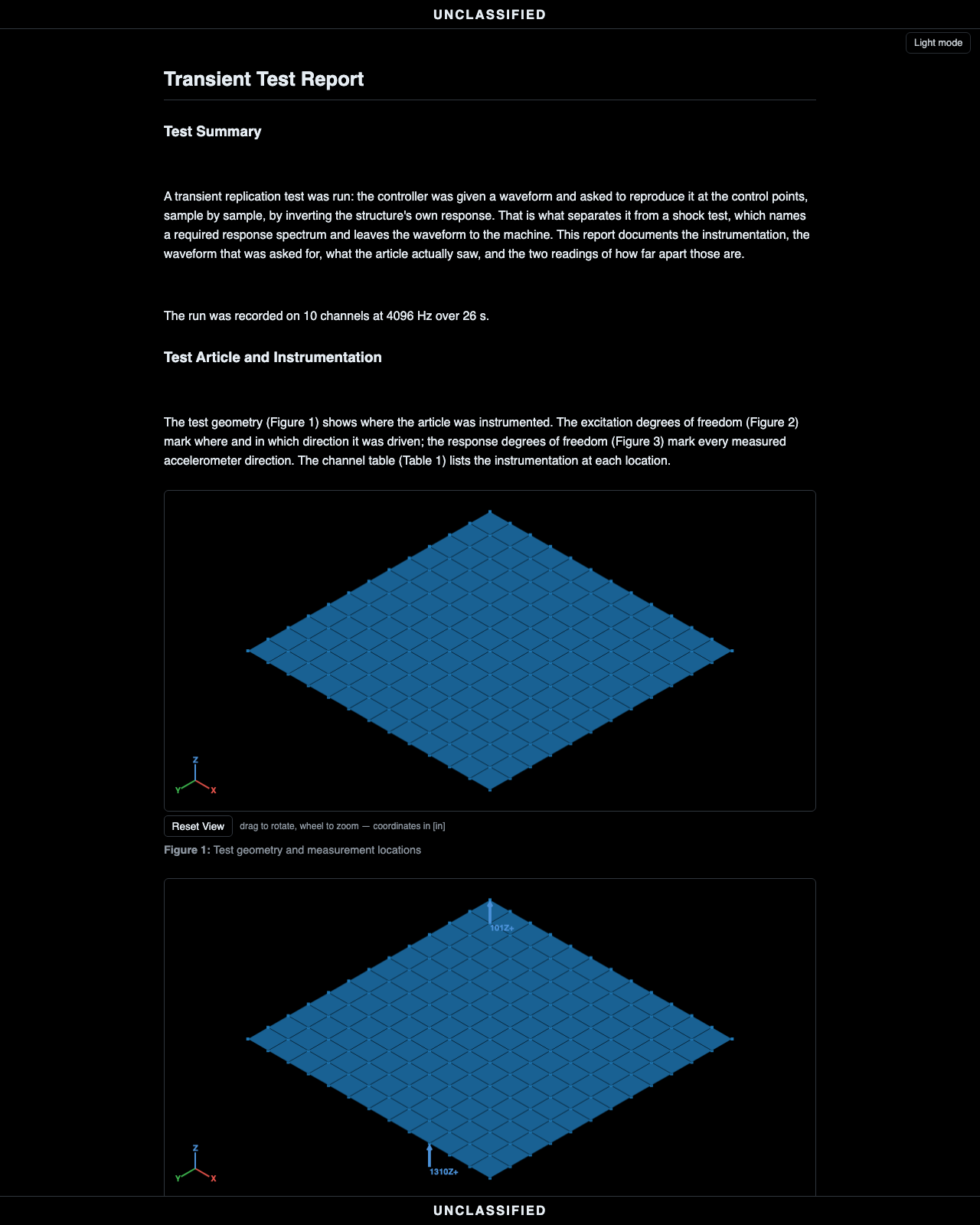
Drag the article's geometry in, declare its units, add the setup photographs, and link the group. Then select the project row and press Generate Report. The transient report is shorter than the random one, because there is no settled numerical compliance measure for two transients. It shows the target waveform, the measured control response, the first playing over the target, the drive forces the controller produced, and a scalogram of the control response. The level comparison follows (the control PSDs against the target's PSD, and RMS error bars), then the waveform error bars and the kurtosis by channel. The judgment is written in the conclusions.
The same run, headless
The Console tab along the bottom of the window shows the session as Python while you work: every act as the line that replays it. Expand it, copy the lines you want, and they run as they are.
import visualdynamics
from visualdynamics.plot import plot_replication

project = visualdynamics.Project('Plate Transient Replication')

# 1. import: the target arrives as the Transient Specification
project.import_file('transient.nc4')
assert project.project_type == 'Transient'

history = project.time_history
spec = project.transient_specification

# 2-3. the waveform views, headless
plot_replication(history, spec, 'overlay', path='overlay.png', show=False)
plot_replication(history, spec, 'waveform', path='error.png', show=False)

# 4. the spectral pair: the target's PSD is a Specification
project.compute_psds(spec)
project.compute_psds(history)

# 5. geometry, photos, report
project.add('Geometry', visualdynamics.import_file('geometry.npz'))
project.geometry.define_units('m')
project.link(*project.names)
project.set_basis(*project.names)
project.generate_report('transient')
project.export_report(project.report, 'transient_report.html')
project.save('transient.vdyn')
Where judgment lives
- Whether the reproduction is close enough. There is no band to fall outside: the overlay is the evidence, and the waveform and RMS error bars put numbers on it without deciding it. Where the test plan writes tolerances by segment, the Segments reading applies them, and the segments and their kinds are the plan's. The decision is written in the conclusions. The demonstration run's 6-26 % errors are informative in themselves: two shakers cannot exactly reproduce an eight-channel motion, and the numbers say how close they came.
- Which channels are controls. The controller's file says which channels it controlled to, and the monitors are recorded alongside. The report compares where a target exists and leaves the rest drawn but not judged.